 This section is valid for all product flavors.
 This section is valid for all product flavors.
Simple Thematic Map Designer lets you define and display thematic maps based on attribute data.
The Thematic legend option is available from the Map Content tab on the layer(s) context menu. The Thematic legend command from the context menu for a given layer opens the Thematic item dialog box.
 The Thematic legend option can be defined only for the layers of the Personal Storage Service (PSS). To be able to define thematic legends for data from WFS services, contact the Geospatial Portal administrator.

This dialog box contains the following tabs:
These tabs let you filter feature class objects using different criteria that you select from the Attribute for classification drop-down list.
To create a thematic legend entry:
You must provide values in both fields (Label and Value) in order to create a thematic legend.
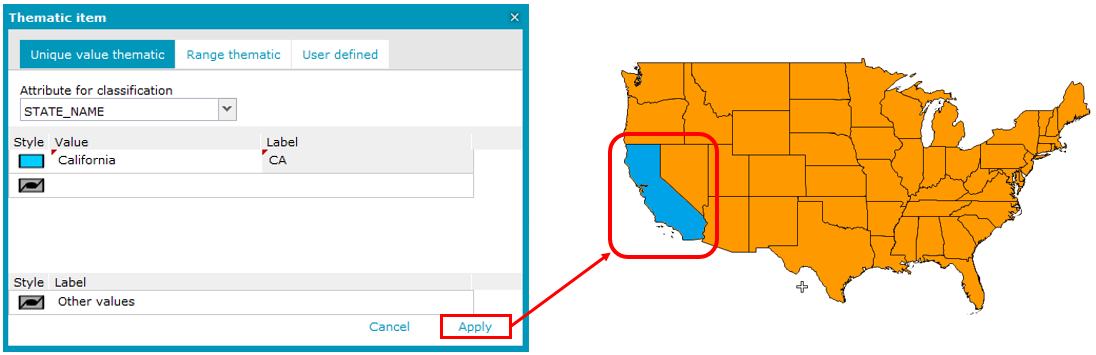
As a result, a new thematic legend is added for the selected layer, and a thematic map is displayed using the defined style.